Showing posts with label Camilla Drakenborg. Show all posts
Showing posts with label Camilla Drakenborg. Show all posts
Sunday, 8 February 2015
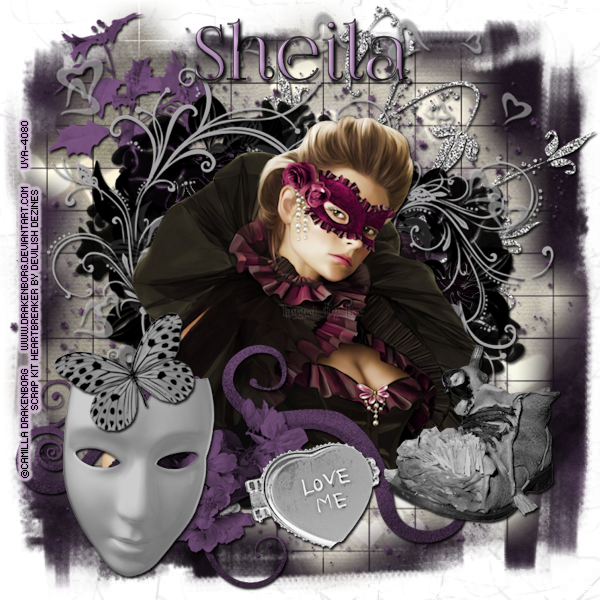
PTU Masquerade
This tutorial was written by me on February 8, 2015.
It was made out of my own creation and any similarity is purely
coincidental.
I used PSP X6 but any version would work.
Artist: Camilla Drakenborg
I bought this tube at Up Your Art, which is not longer open,
but Camilla is now selling at The PSP Project HERE
Do not use this tube
unless you have a license.
Mask: WSL 3 & 84 HERE
Let’s start with the mask layer:
New Raster – 800 X 800.
Open Paper 4. Open mask (WSL 3) and minimize.
SELECTIONS – SELECT ALL – Copy and paste Paper 4 into selection.
Go to LAYERS – NEW MASK LAYER – FROM IMAGE – SOURCE LUMINANCE - CHECKED – from menu, find WSL 3 – OK. Merge group.
Duplicate and merge down.
New Raster Layer. Open Paper 5. Open mask (WSL 84) and minimize.
SELECTIONS - SELECT ALL - Copy and paste Paper 5 into selection.
Go to LAYERS - NEW MASK LAYER - FROM IMAGE - SOURCE LUMINANCE - CHECKED and from the menu, find WSL 84 - OK. Merge group. Duplicate and merge down. Re-size 115%.
(see tag for placement)
Let’s start with the mask layer:
New Raster – 800 X 800.
Open Paper 4. Open mask (WSL 3) and minimize.
SELECTIONS – SELECT ALL – Copy and paste Paper 4 into selection.
Go to LAYERS – NEW MASK LAYER – FROM IMAGE – SOURCE LUMINANCE - CHECKED – from menu, find WSL 3 – OK. Merge group.
Duplicate and merge down.
New Raster Layer. Open Paper 5. Open mask (WSL 84) and minimize.
SELECTIONS - SELECT ALL - Copy and paste Paper 5 into selection.
Go to LAYERS - NEW MASK LAYER - FROM IMAGE - SOURCE LUMINANCE - CHECKED and from the menu, find WSL 84 - OK. Merge group. Duplicate and merge down. Re-size 115%.
(see tag for placement)
Now onto some elements:
Element 3 - C/P and leave it where it lands in the middle of tag. Make sure this layer is UNDER the frame layer(s).
Element 14 - C/P and re-size 85%. Move over top of frame. Make sure this layer, and all other layer(s), are OVER the frame layer(s).
C/P the tube here and re-size 85%. Move her into position.
(see tag for placement)
Element 28 - C/P and re-size 75%. Move to bottom left corner of tag.
I've used
V & H 2
Opacity 70
Blur 7
Color Black
Now you can add name
and © information. Save as .png and re-size if you wish.
I re-size before I add
name and © info and then save.
Let me know what you think of
this tutorial.
Thursday, 30 January 2014

This tutorial was written by me on January 30, 2014.
It was made out of my own creation and any similarity is purely coincidental.
I used PSPx2 but any version will do.
Artist: Camilla Drakenborg
You can find this tube at Up Your Art HERE
Please Don't use this tube without a license.
Scrap Kit: Temptation by JT's Designs
You can buy this kit at Scraps From The Heart HERE
Here goes:
New Raster – 800 X 800.
Open Paper 15. Open mask and minimize.
SELECTIONS – SELECT ALL – Copy and paste Paper 15 into selection.
Go to LAYERS – NEW MASK LAYER – FROM IMAGE – SOURCE LUMINANCE - CHECKED – from menu, find WSL 84 – OK. Duplicate and merge down. Re-size 115%.
Now for the frame:
Frame 1 - C/P and re-size 75%. Make sure your frame layer is highlighted. Grab your FREEHAND SELECTION (the lasso) TOOL. Start tracing around the inside of the frame. Once you have the whole inside of the frame selected,
go to SELECTIONS - MODIFY - EXPAND 8 PIXELS - INVERT.
Add a new raster layer. C/Paste into selection Paper 12.
Grab your FREEHAND SELECTION (the lasso) TOOL again. Trace around the inside of the frame again.
Go to SELECTIONS - INVERT.
Now grab the tube you are using. If you are using the same one as me, grab it now. C/P over the frame and move her into position. Duplicate and move the copy layer under frame layer.
Hit your delete button. Grab your eraser tool. Highlight your original tube layer. Erase parts of tube you don't want.
SELECTIONS - SELECT NONE.
(see tag for placement)
Lets do some elements now:
Moon 1 - C/P and re-size 50%. Move to top left corner of tag. Make sure this layer is UNDER the frame layer.
(see tag for placement)
Tree - C/P and re-size 80%. Move to left side of tag. Duplicate and mirror.
(see tag for placement)
Lamp - C/P and move to right side of tag. Duplicate and mirror.
(see tag for placement)
Butterfly Gem2 - C/P and re-size 70%. Move to bottom middle of frame.
(see tag for placement)
Bench1 - C/P and re-size 30%. Move to bottom right corner of tag.
(see tag for placement)
Add drop shadow to layers of your choosing.
I used:
V & H 2
Opacity 70
Blur 7
Color Black
Now you can add name and © information. Save as .png and re-size if you wish.
I re-size before I save and add
name and © info.
Let me know what you think of
this tutorial.
Subscribe to:
Posts
(Atom)